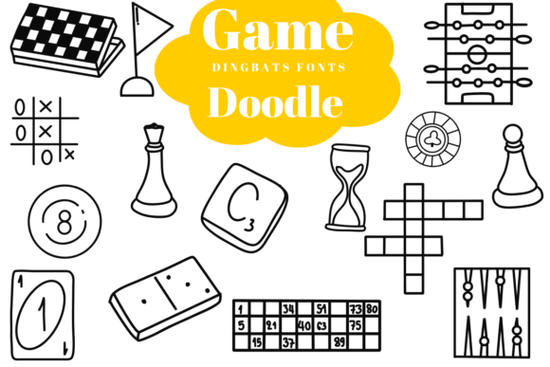
Designing for family game nights or hobby clubs requires graphics that immediately communicate fun and interaction. Instead of searching for individual icons, the Game Doodle Font provides a complete set of hand-drawn gaming symbols right on your keyboard. This specialty dingbats typeface replaces standard alphabet letters with clean-line sketches of classic tabletop activities. It is a practical tool for graphic designers, crafters, and print-on-demand sellers who need quick, scalable illustrations without drawing them from scratch.
What symbols are included in this dingbats typeface?
When you type using this font, each keystroke produces a specific game-related doodle. The collection covers a wide range of classic board and table games. You will find chess pieces, tic-tac-toe grids, and domino blocks. It also includes billiards 8-balls, poker chips, playing cards, and word game tiles. For variety, the designer added crossword puzzles, hourglasses, and foosball tables. Because these are uniform monoline vectors, the line thickness remains consistent across every single icon. This consistency makes it easy to mix and match different symbols on the same design canvas without worrying about clashing visual weights.
If you want to expand your library of symbol-based typography, browsing through other dingbats font collections can help you find the exact icons needed for niche crafting projects.
Will these vector icons work on cutting machines?
The black-and-white profiles are built specifically with crafters in mind. The clean outlines cut smoothly on popular tracking plotters like Cricut and Silhouette. Since the font acts as a helpful design shortcut, you do not need to spend time ungrouping complex layers or fixing broken nodes. You can simply type the character, convert the text to outlines in your software, and send it directly to your cutting mat. This reliability is crucial for small business owners producing physical crafts, such as custom wood signs or decals, where jagged edges can ruin the final product and make weeding vinyl tedious.
Can you change the colors and line thickness?
Even though the font downloads as standard black-and-white doodles, you have complete control over the appearance. By converting the text to shapes in programs like Adobe Illustrator or Canva, you can adjust the stroke weight to make the lines thicker or thinner. You can also apply custom brand colors to match a specific project. For instance, a local game shop might want the foosball and poker chip icons to match their storefront signage colors exactly. This flexibility ensures the typography fits seamlessly into your existing brand guidelines rather than looking like a generic template.
What projects can you create with board game graphics?
The whimsical nature of these doodles makes them highly versatile for both digital and physical products. Print-on-demand sellers can use the icons to create custom family night t-shirts or coffee mugs. Educational content creators might incorporate the word game tiles and crossword graphics into printable worksheets for classrooms.
- Custom Apparel: Print playful game shop branding or hobby club logos on hoodies and tote bags.
- Stationery and Decals: Design personalized scoring journal covers or laptop stickers using the card and dice icons.
- Event Marketing: Use the chess and domino graphics on flyers for local board game club meetups.
- Digital Assets: Create fun digital sticker collections for tablet planning apps or social media templates.
How do you get the best results when scaling the font?
Because the icons are engineered as vectors, they scale flawlessly from tiny sticker dimensions to large banner sizes. To maintain that crisp edge, always ensure your document resolution is set correctly before exporting. If you are printing on dark materials, use the negative space within icons like the billiards 8-ball or the hourglass to your advantage. The simple line art ensures that small details will not get lost during the commercial printing process.
Quick setup tips for your next project
- Install the font file on your computer and restart your design software so it appears in the text menu.
- Open the character map on your operating system to see which keyboard key corresponds to each game icon.
- Type out your desired pattern using the corresponding keys, then adjust the tracking to arrange the icons perfectly.
- Convert your text to paths or outlines before sending the file to a vinyl cutter or commercial printer.
 Grinola Font: Free Script Font for Creative Projects
 Design Projects with Cute Gallery Font
 Bubble Fonts for Creative Projects and Fun Designs
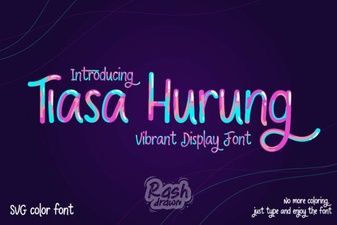 Tiasa Hurung Font: Design & Creative Applications
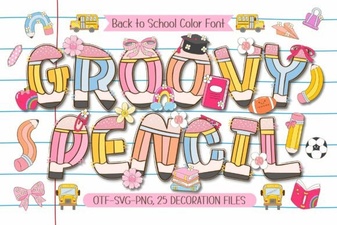 Groovy Pencil Font: Creative Design & Handmade Projects
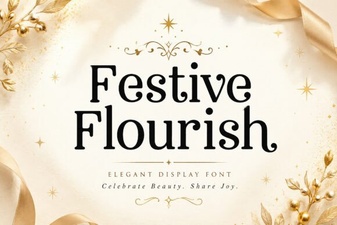 A Festive Flourish Font for Your Holiday Projects